发布时间:2025-09-08
Kendo UI for Angular是专业级的Angular UI组件库,不仅是将其他供应商提供的现有组件封装起来,telerik致力于提供纯粹高性能的Angular UI组件,而无需任何jQuery依赖关系。无论您是使用TypeScript还是JavaScript开发Angular应用程序,Kendo UI for Angular都能为Angular项目提供专业的、企业级UI组件。
在本文中,我们将学习如何在Kendo UI for Angular Grid组件中使用Angular的httpResource API,将使用 Angular 的新特性 httpResource 从 API 获取数据,并将这些数据展示在 Kendo UI for Angular Grid 中。
Telerik_KendoUI产品技术交流群:726377843 欢迎一起进群讨论
本文假设您已创建一个 Angular 20 的项目。
对于本文,我们将使用返回product列表的API端点,如下图所示。
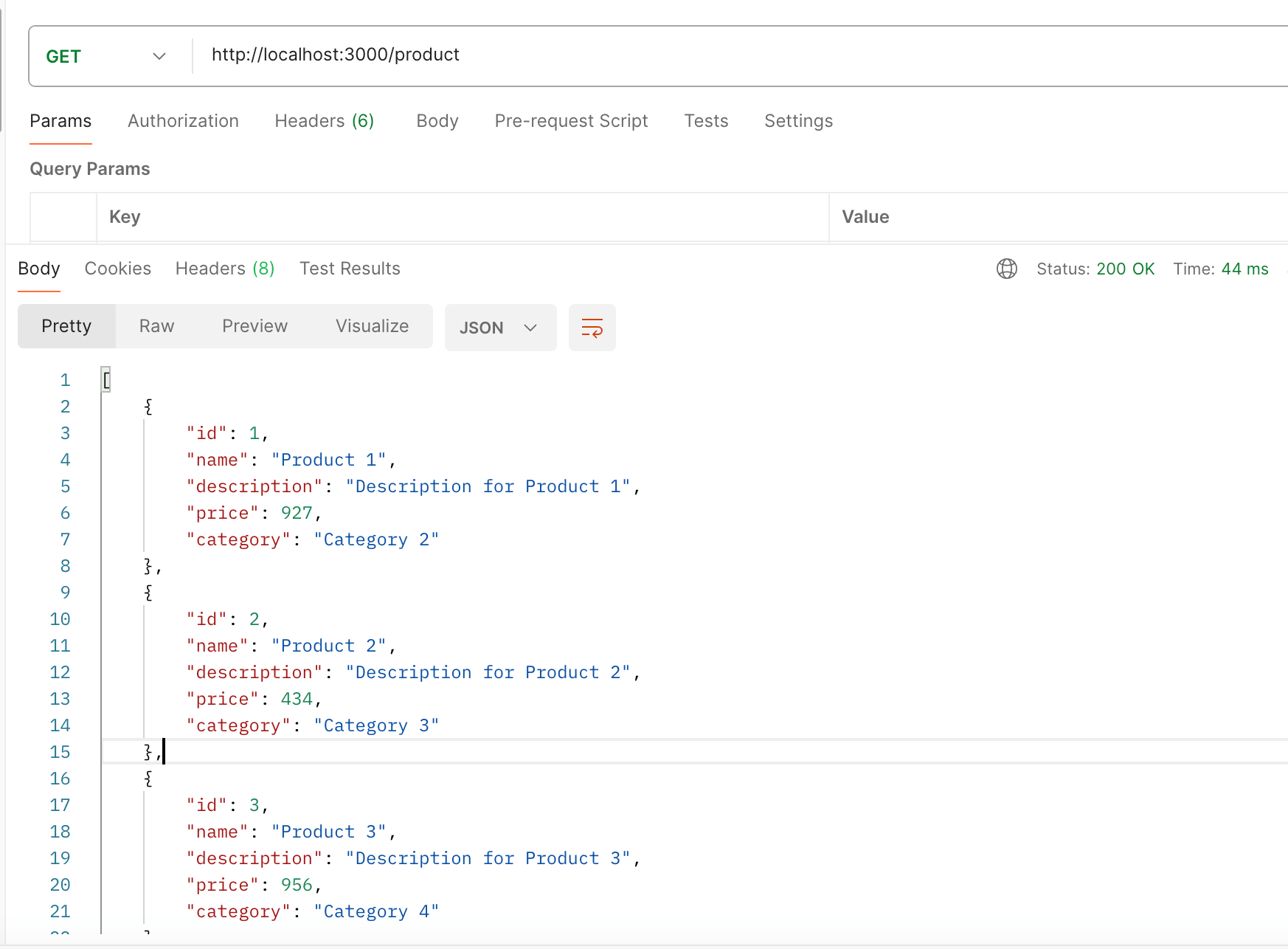
为了表示这个响应类型,我们可以在 Angular 应用中定义一个接口:
export interface IProductModel {
id: string;
name: string;
description: string;
price: number;
category: string;
}
我们将使用 Angular 20 的 httpResource API 来获取 API 数据。通过在底层使用HttpClient扩展了Resource API,提供了一种无缝的方式来发出HTTP请求,同时支持拦截器和现有的测试工具。
在应用程序中,您可以使用httpResource API获取数据,如下所示:
products = httpResource<IProductModel[]>(() => `http://localhost:3000/product`);
htppResource API返回一个WritableResource,并且具有只读属性,例如:
这些属性都是 signal 类型,可以在 effect 中追踪,例如:
constructor() {
effect(() => {
console.log('products', this.products.value());
console.log('products error', this.products.error()?.message);
console.log('products satus', this.products.status());
})
}
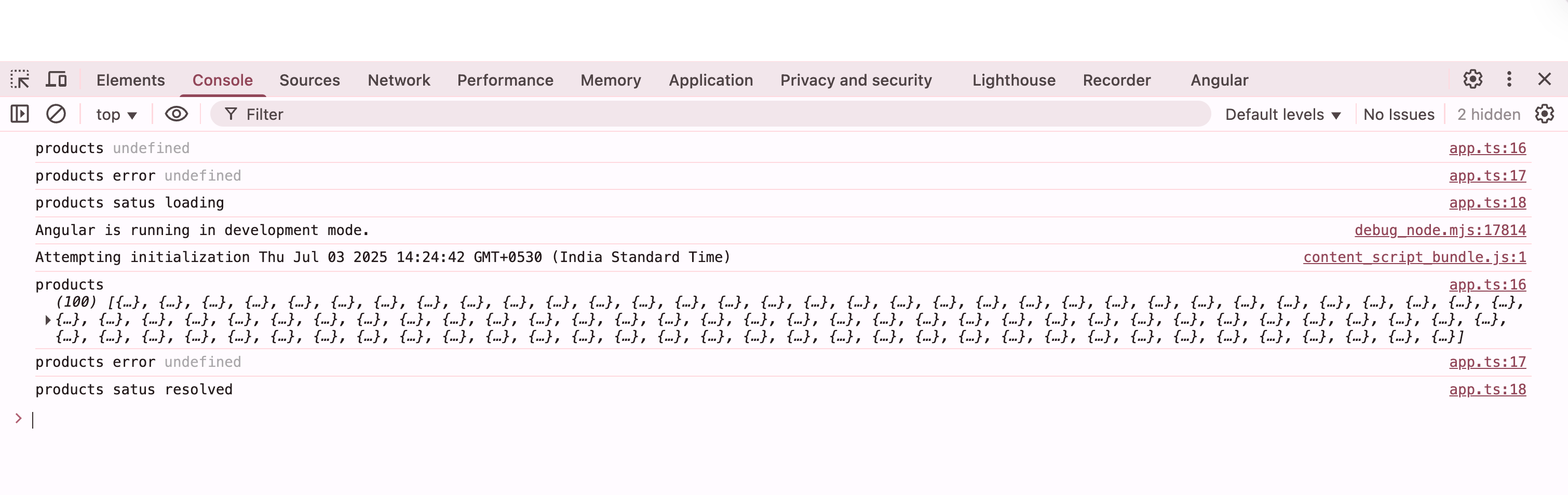
运行项目后,浏览器控制台显示 API 返回的数据。
接下来,我们使用 Kendo UI for Angular Grid 组件展示产品数据。首先,在 Angular 项目中添加 Kendo UI Grid 的库,在Angular项目文件夹中运行下面的命令。
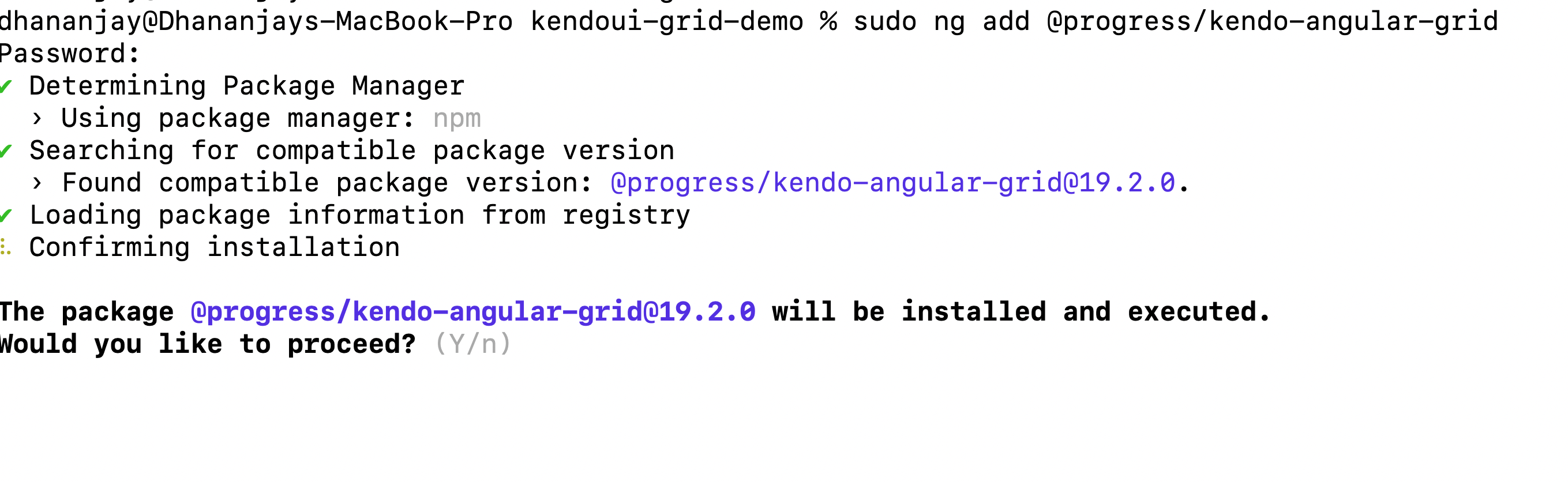
ng add @progress/kendo-angular-grid
该命令提示您确认要继续,按Y键在Angular项目中安装Kendo UI for Angular Grid包。
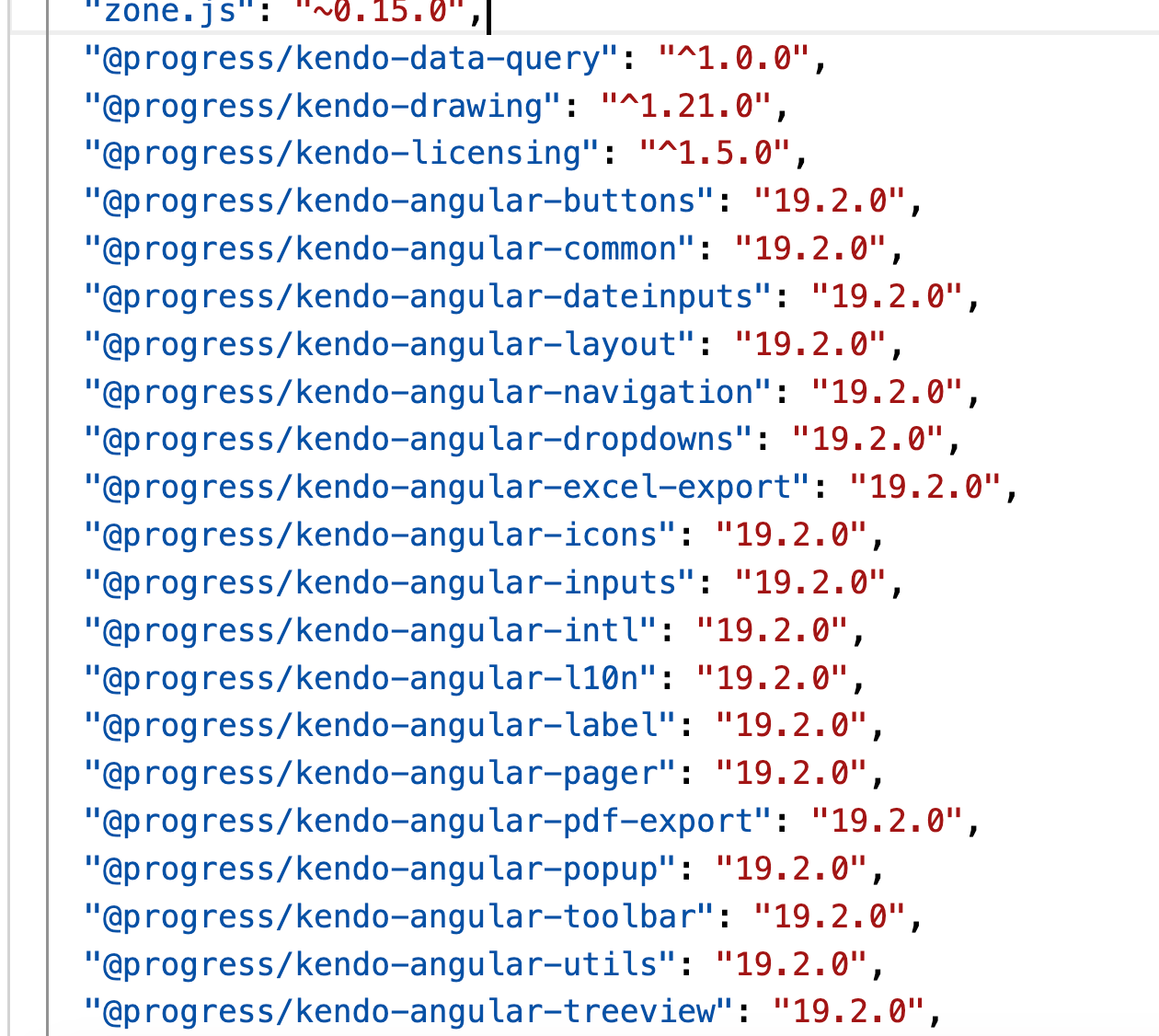
安装成功完成后,你会注意到在packagejson文件中添加了对Angular的Kendo UI的引用。
同样在angular.json文件中,您可以看到一个关于Kendo UI Default主题的条目。
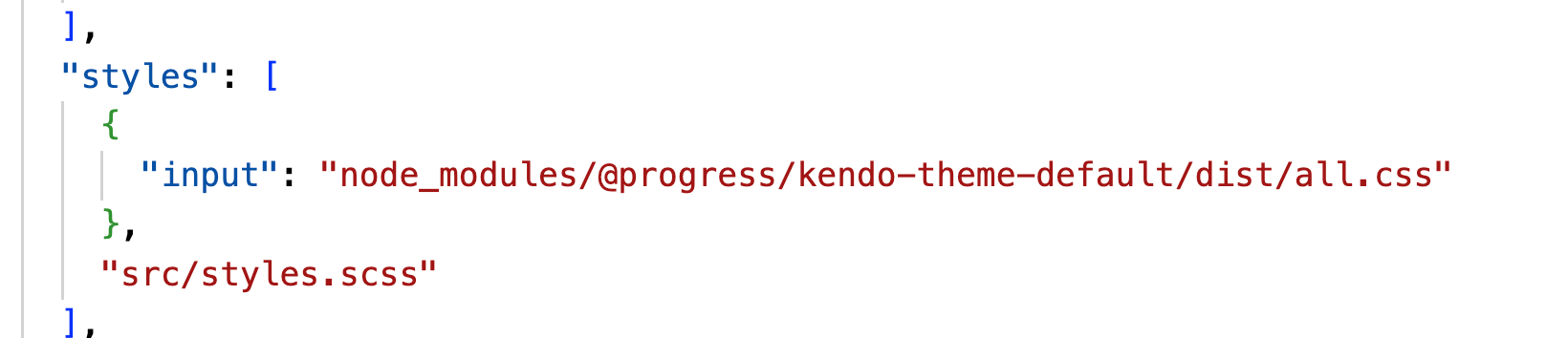
总而言之,ng add命令执行以下操作:
要使用Kendo UI Grid,首先导入组件KENDO_GRID。
import { KENDO_GRID } from ‘@progress/kendo-angular-grid’;
接下来,将其传递给imports数组:
@Component({
selector: 'app-root',
imports: [KENDO_GRID],
templateUrl: './app.html',
styleUrl: './app.scss'
})
把这些放在一起,使用Kendo UI Grid的组件应该是这样的:
import { httpResource } from '@angular/common/http';
import { Component, effect } from '@angular/core';
import { IProductModel } from './product-model';
import { KENDO_GRID } from '@progress/kendo-angular-grid';

@Component({
selector: 'app-root',
imports: [KENDO_GRID],
templateUrl: './app.html',
styleUrl: './app.scss'
})
export class App {
protected title = 'Kendo UI Grid Demo';
constructor() {
effect(() => {
console.log('products', this.products.value());
console.log('products error', this.products.error()?.message);
console.log('products satus', this.products.status());
})
}
products = httpResource<IProductModel[]>(() => `http://localhost:3000/product`);
}
现在在模板上,可以使用Kendo UI Grid,如下所示。
@if(products.value()){
<kendo-grid [data]="products.value() || []">
<kendo-grid-column field="id" title="ID"> </kendo-grid-column>
<kendo-grid-column field="name" title="Name"> </kendo-grid-column>
<kendo-grid-column field="description" title="Description"> </kendo-grid-column>
<kendo-grid-column field="price" title="Price"> </kendo-grid-column>
<kendo-grid-column field="category" title="Category"> </kendo-grid-column>
</kendo-grid>
}
@else {
<p>Loading products...</p>
}
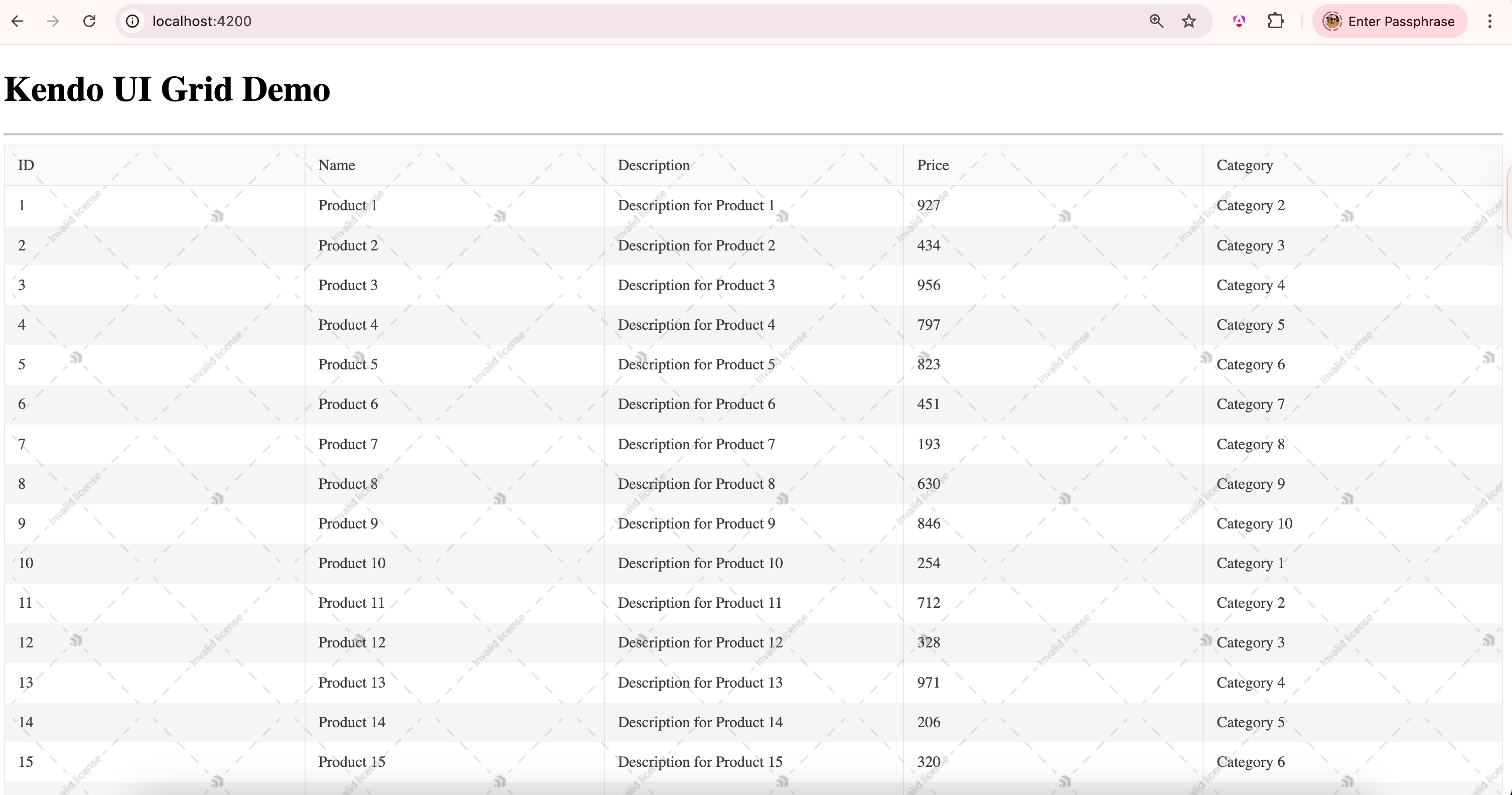
使用Kendo UI Grid很简单,首先检查products资源是否已成功解析,然后配置网格将其列映射到Product模型的属性。
作为输出,您可以看到在Kendo UI Grid中渲染的所有100个产品,如下图所示:
接下来,让我们启用客户端分页。这在Kendo UI Grid中很简单,设置以下属性:
@if(products.value()){
<kendo-grid [kendoGridBinding]="products.value() || []"
[pageable]="true"
[pageSize]="5">>
<kendo-grid-column field="id" title="ID"> </kendo-grid-column>
<kendo-grid-column field="name" title="Name"> </kendo-grid-column>
<kendo-grid-column field="description" title="Description"> </kendo-grid-column>
<kendo-grid-column field="price" title="Price"> </kendo-grid-column>
<kendo-grid-column field="category" title="Category"> </kendo-grid-column>
</kendo-grid>
}
@else {
<p>Loading products...</p>
}
现在当您运行应用程序时,将看到在Kendo UI Grid中启用了客户端分页。
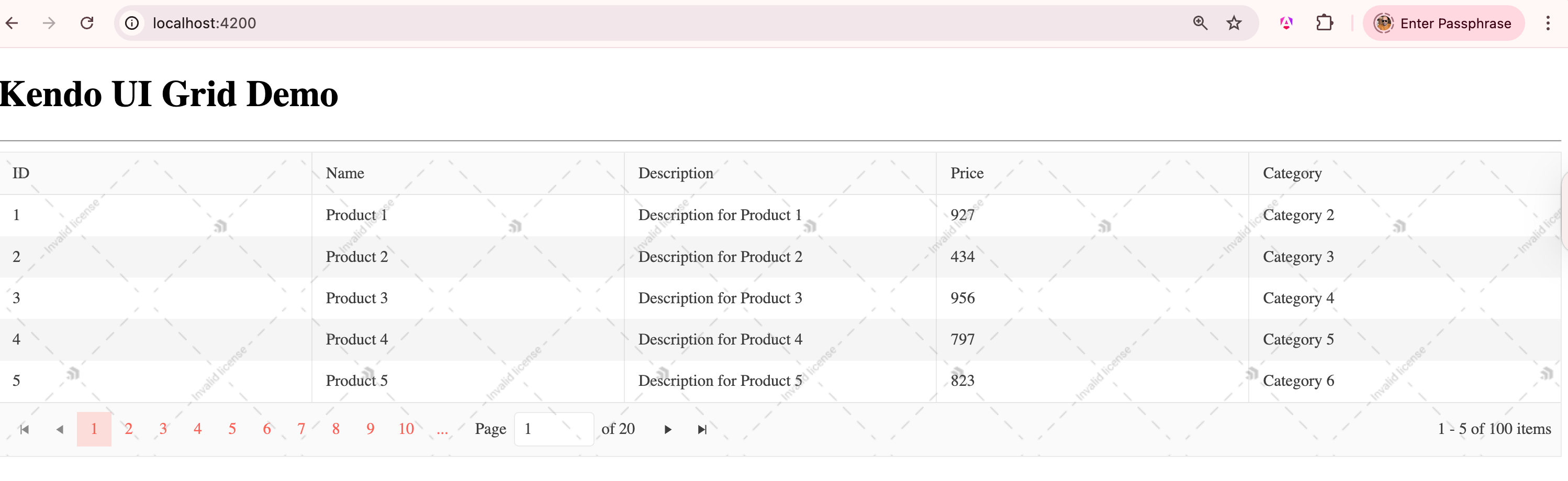
接下来,让我们启用客户端排序。这在Kendo UI Grid中很简单——将Sortable属性设置为true。
@if(products.value()){
<kendo-grid [kendoGridBinding]="products.value() || []"
[pageable]="true"
[pageSize]="5"
[sortable]="true">
<kendo-grid-column field="id" title="ID"> </kendo-grid-column>
<kendo-grid-column field="name" title="Name"> </kendo-grid-column>
<kendo-grid-column field="description" title="Description"> </kendo-grid-column>
<kendo-grid-column field="price" title="Price"> </kendo-grid-column>
<kendo-grid-column field="category" title="Category"> </kendo-grid-column>
</kendo-grid>
}
@else {
<p>Loading products...</p>
}
现在,当您运行应用程序时,将看到在Kendo UI Grid中启用了客户端排序。
更多产品资讯及授权,欢迎来电咨询:023-68661681
更多Kendo UI & Telerik中文教程资讯请上中文网获取
慧都是⼀家⾏业数字化解决⽅案公司,专注于软件、⽯油与⼯业领域,以深⼊的业务理解和⾏业经验,帮助企业实现智能化转型与持续竞争优势。
慧都是Kendo UI中国区的合作伙伴,Kendo UI作为用户界面领域的优秀产品,通过集成响应式UI组件(如数据网格、图表、调度器)和跨框架支持(jQuery/Angular/React/Vue),帮助企业快速构建数据密集型的Web应用(如ERP、CRM、电商平台),实现动态数据交互、实时可视化及多端一致的用户体验。

 023-68661681
 返回
返回